
Your first RiffJam session
What RiffJam records
RiffJam is a touch instrument and loop workstation. It records the notes and gestures you play inside the app; it does not record a microphone or an external guitar. Use wired or USB headphones for a responsive playing experience.
Make a first session
1. On Home, choose New Session. 2. Choose Session presets, search for a style, and select an arrangement. Listen previews it; Stop ends the preview. 3. Choose the instruments you want, then Create Session. 4. On Session Home, open Guitar, Bass, or Drums. Press Play to hear the backing. 5. Play along before recording. Press Record or Overdub, wait through the count-in, then play. Finish take keeps the take and lets playback continue. 6. Return to Session Home and Save with a useful name.
Find your way back
Home contains New Session, Continue Session, My Vault, Sound presets, Settings, and User manual. Session Home contains the instruments in your current session. An instrument's Tone or Kit opens its sound tools. Back returns to the relevant instrument or parent screen. In tab opened from an instrument, Back to instrument returns to that instrument even when you view another tab part.
Using this manual
Open User manual from Home, or Help with this screen from a screen's Help or instrument menu. Search accepts everyday terms such as ‘no sound’, ‘echo’, and ‘note length’. Contents lists all articles; Related topics opens another article. Back retraces manual navigation. Close help returns to your original screen. A− and A+ adjust article text; images can be enlarged and zoomed. System text sizing is also respected. Playback continues while you read. Finish or cancel an active recording before opening help; this also applies to recording effect controls.
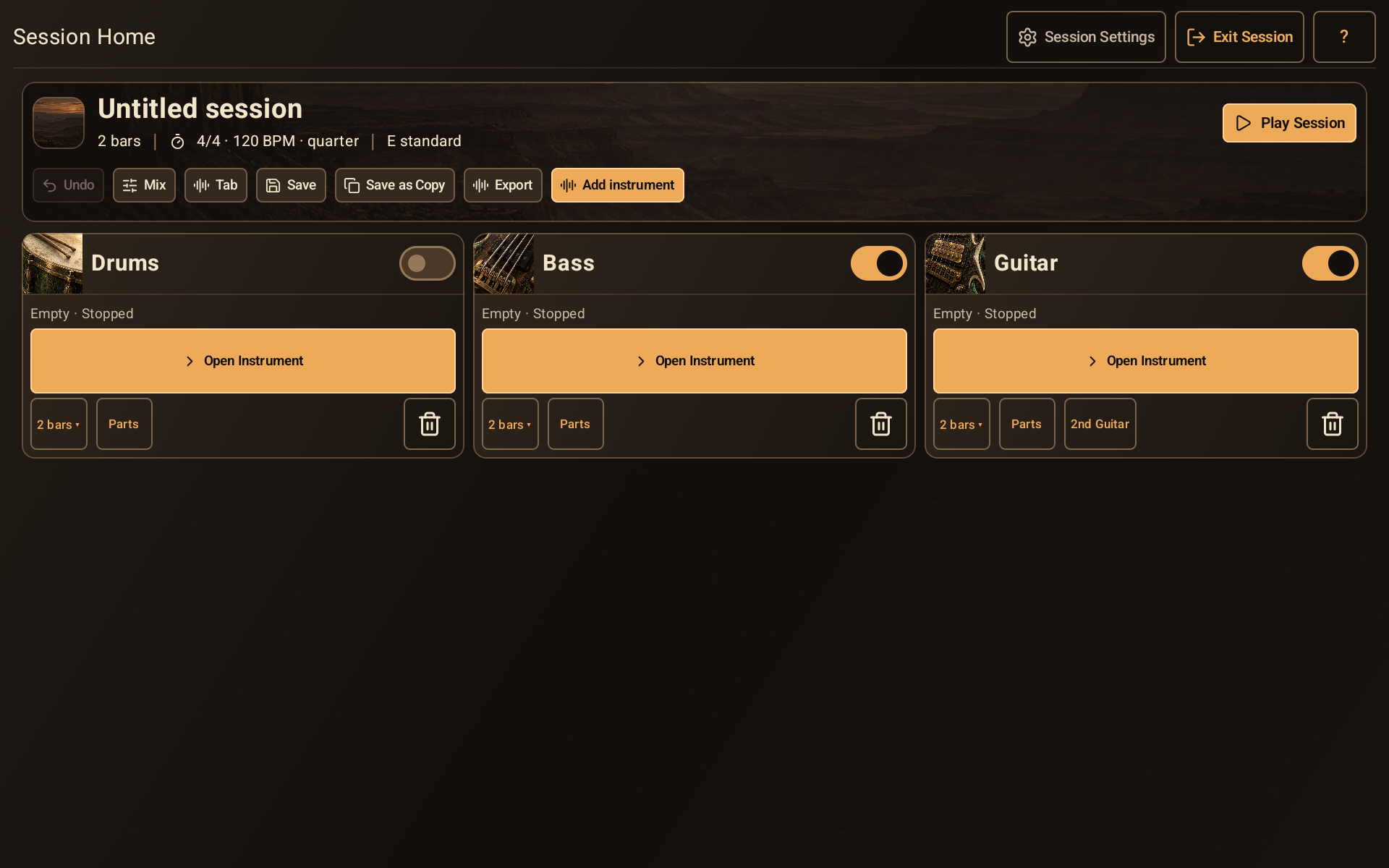
Session Home with session actions and separate drum, bass, and guitar cards.
- Session actions include Mix, Tab, Save, Export, and Add instrument.
- Play Session starts or stops the backing.
- Each card has its own instrument enable switch.
- The Bars menu controls this instrument’s loop; Parts opens reusable material.