
Build and edit a guitar or bass rig
Signal path
A rig combines a source, effects before the amp, an amp, effects after the amp, a cabinet, effects after the cabinet, and output level. Open Tone from the instrument. Select a module to see its controls. The available effects catalogue is documented individually in the Effects reference below.
Source, amp, cabinet, and output
Source selects the underlying instrument sound. The amp supplies its amplification character; gain controls can change distortion as well as loudness. Cabinet selects speaker coloration. Output level balances the rig after processing. Compare sounds at similar output levels to avoid preferring a setting just because it is louder.
Add, move, replace, and bypass
Add an effect in the desired stage, choose a module from the catalogue, then edit it. Move/reorder changes where processing occurs, so a delay before distortion can sound very different from one after it. Replace changes the selected module. Delete removes it. The module's on/off control bypasses it without removing its settings.
Controls and audition
Drag an equipment knob vertically, or use its labelled value editor where offered. Toggles and choice menus are discrete settings. Open Audition to compare a demo or your playing; Stop ends playback. Undo reverses edits. Session sound changes autosave; Save sound preset creates a reusable library entry. Finish or cancel any save prompt before leaving.
Automation
Session automation can record changes to effect controls and bypass over the loop. Read its article before recording automation; it is separate from a note take.
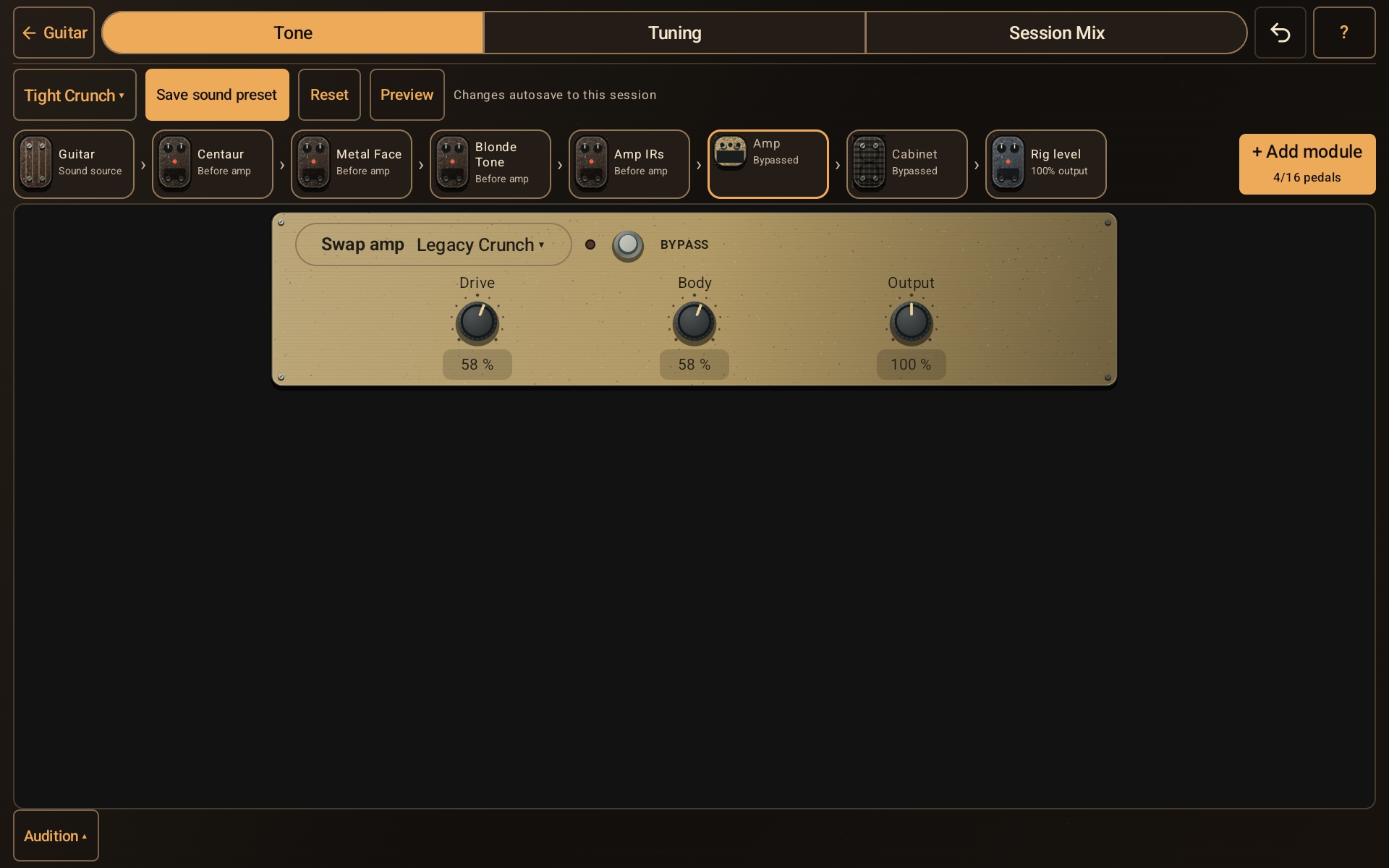
The guitar sound workspace with a module chain and amplifier controls.
- Choose a sound preset or save the current sound for reuse.
- Select a source, effect, amp, cabinet, or output module in the chain.
- Add module opens the available effects catalogue.
- Change the selected module’s controls; bypass lets you compare its contribution.