
Play guitar: frets, picking, and expression
Fret and pick
Hold a fret with one hand; pick the corresponding string in the picking area with the other. Sweep across strings to strum. Open strings can ring without a fretting finger. Touch halfway between strings to barre neighbouring strings. Use the neck's horizontal and vertical viewport controls and FIT to reach notes comfortably. Fretboard height can be adjusted from the instrument controls.
Bends, vibrato, and slides
Push or pull a fretted string across the neck to raise pitch by up to two semitones. Move back toward its resting position to release the bend; small movements produce vibrato. Move along the neck to slide between frets. Add a higher finger on a sounding string for a hammer-on; lift it for a pull-off. Strong Tapping in Settings gives fuller notes without picking.
Ring, palm mute, and string mute
The picking area's palm-mute control damps the sound; return toward Ring for open sustain. A short press on a string's X stops its ringing note. Hold X for two seconds to latch its mute; tap X to unmute. Sweep along the X strip to mute several strings. Muting and note expression can be captured in a recording.
Toolbar and chord presets
Record/Overdub starts a take, Finish take ends it, and Play/Stop controls playback. Clear part removes the recorded part; Undo last take removes the appropriate recording pass. Tone opens sound tools. Tab opens note editing. Some controls move into the instrument menu on smaller screens. With chord presets on, tap a numbered chord to select it and use NEXT to advance; Edit notes opens chord-preset editing.
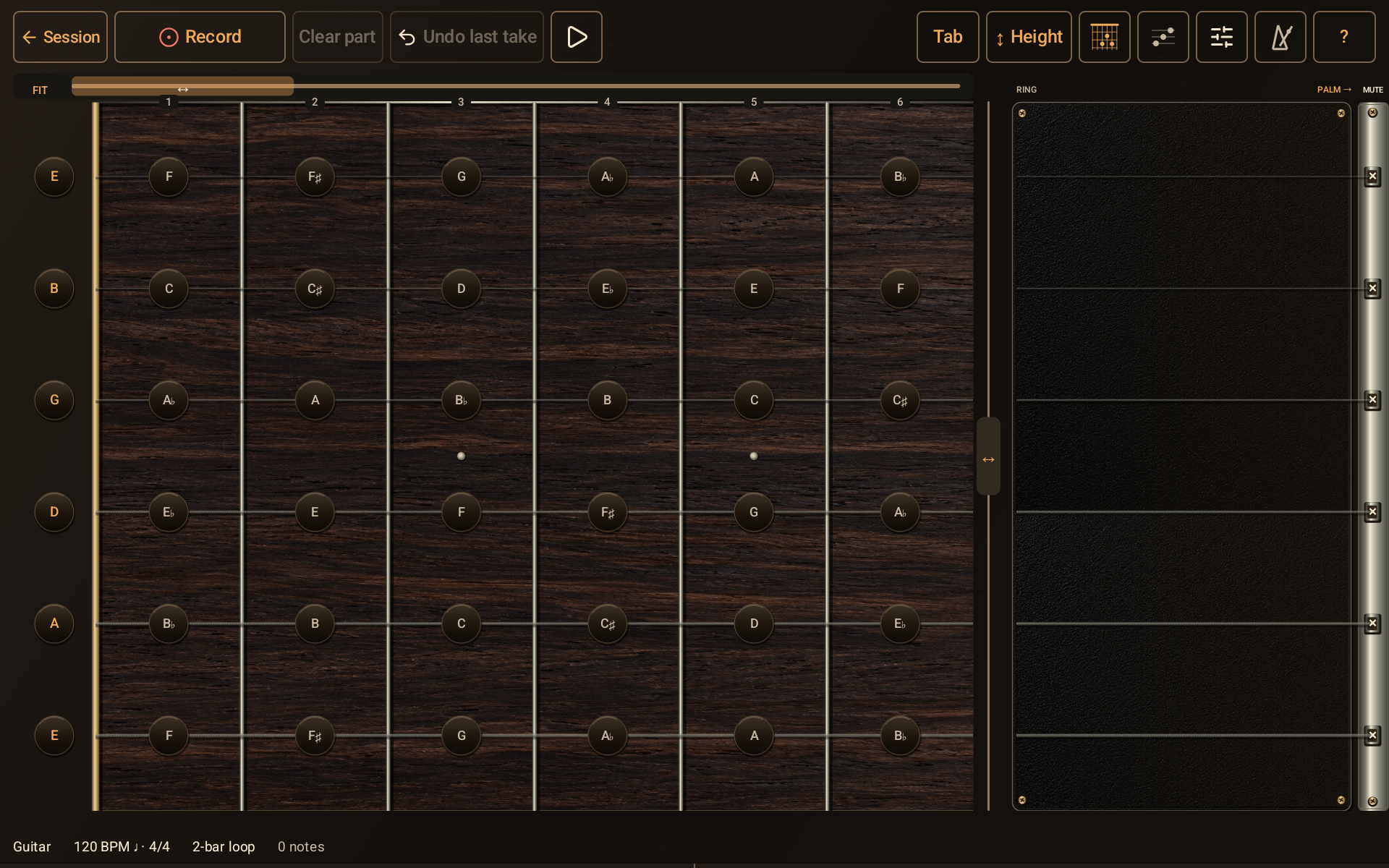
Guitar playing surface showing the fretboard, picking area, mute strip, and instrument toolbar.
- Record starts a take after count-in; Play starts the backing.
- Hold a string at a fret with one hand.
- Pick or sweep the strings here with the other hand.
- Use a string’s X to stop or latch its mute.
- Tone opens the instrument sound workspace.