
Session Home and instruments
Session controls
Play Session starts or stops the arrangement. Undo reverses an available session edit. Mix opens the session mixer. Tab opens guitar and bass notation with Premium. Save names and stores the session; Save as Copy creates another saved version. Session Settings opens tempo, time signature, key, and tuning. Exit Session returns to Home.
Instrument cards
The switch enables or disables an instrument. Open Instrument opens its playing surface. The bars menu changes that instrument's loop length; the session follows its longest instrument. Shorter parts repeat against longer parts. Parts opens the reusable parts browser. The trash button removes the instrument; Undo can restore the removal. Changing length can repeat or trim material, so listen afterwards.
Add instrument
Add instrument offers Electric Guitar, Bass, Acoustic Guitar, Keys, Theremin, and Drums. Premium enables the additional instruments and up to eight instruments in one session. Each instance has its own part and sound. Added instruments start empty. The 2nd Guitar action offers doubling and harmony from an existing recorded guitar part.
Keep levels intentional
An added instrument has its own mixer channel. Adjust that channel rather than increasing the master to compete with backing. Removing a drum pad changes the playing layout, not the session's recorded hits; removing an instrument removes that part from the session.
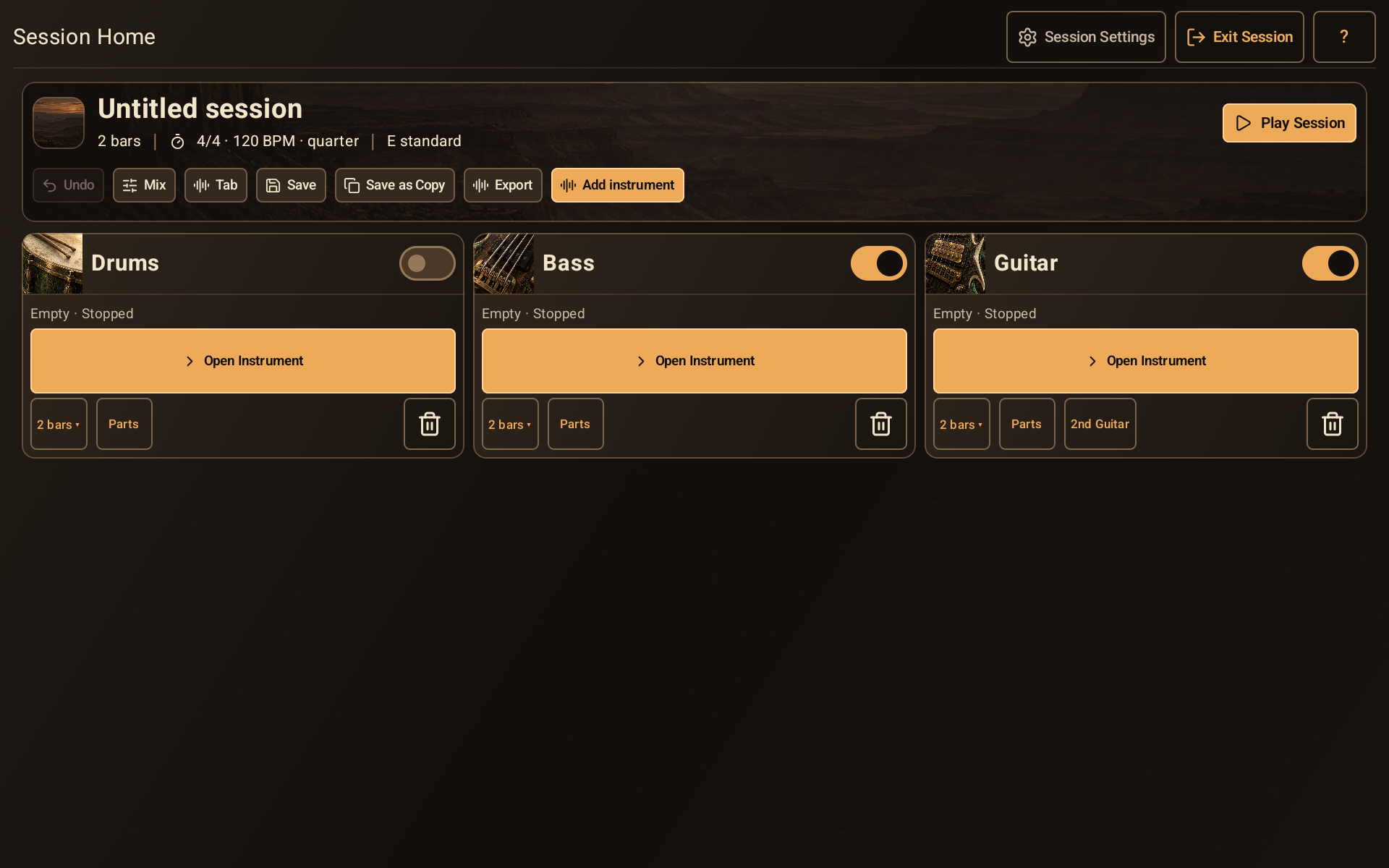
Session Home with session actions and separate drum, bass, and guitar cards.
- Session actions include Mix, Tab, Save, Export, and Add instrument.
- Play Session starts or stops the backing.
- Each card has its own instrument enable switch.
- The Bars menu controls this instrument’s loop; Parts opens reusable material.